
Today, families use many online accounts for banking, shopping, education, entertainment, and social media. Every family member may have different passwords for different websites and applications. Remembering all these passwords can become difficult.
Many people solve this problem by using the same password for multiple accounts. However, this habit can put personal information at risk. If one account gets compromised, other accounts using the same password may also become vulnerable.
A best password manager for families can help solve this problem. These tools store passwords securely, generate strong login details, and allow family members to share selected credentials.
In this guide, we will explore six useful password managers, their features, and how to choose the right option for your household.
What Is a Family Password Manager?
A family password manager is a security application that stores login information in an encrypted digital vault.
Instead of remembering dozens of passwords, each family member can access their saved credentials through a secure application.
Many family plans provide separate private vaults and shared vaults. This means parents can share important household passwords without giving everyone access to their personal accounts.
Some password managers also offer password generators, automatic form filling, security alerts, and account recovery features.
1. 1Password
1Password is a popular password management solution with features designed for families.
Its family plan allows members to maintain separate private vaults while sharing selected passwords through shared vaults.
It also provides security alerts, secure password storage, and account recovery options.
This makes it useful for families who want organized password management and additional security features.
Official website: https://1password.com/
2. Bitwarden
Bitwarden is a password manager known for its open-source approach and flexible features.
It offers password storage, automatic password generation, secure sharing, and synchronization across supported devices.
Its Families plan supports up to six users, making it a practical option for households that want individual accounts and shared credentials.
Bitwarden is worth considering if affordability and transparency are important.
Official website: https://bitwarden.com/
3. NordPass
NordPass provides an easy way to store and manage passwords across different devices.
It includes encrypted password storage, automatic password filling, password generation, and security-related features.
Its family plan supports multiple members, allowing households to manage their login details more conveniently.
NordPass is a good option for families who prefer a simple interface and straightforward password management.
Official website: https://nordpass.com/
4. Dashlane
Dashlane is another password manager with useful features for households.
It offers password storage, automatic login filling, password generation, and security monitoring features.
Its Friends and Family plan is designed for larger households and supports up to ten members.
Families can use it to organize login information and manage shared credentials more efficiently.
Official website: https://www.dashlane.com/
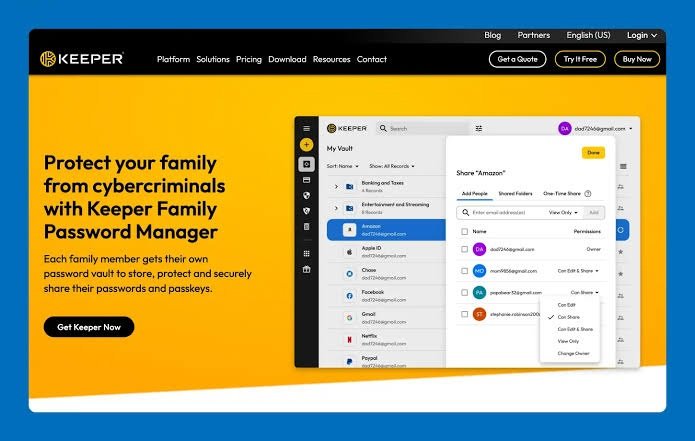
5. Keeper Security
Keeper Security focuses on protecting passwords and sensitive digital information.
It provides encrypted password storage, secure sharing, password generation, and multi-factor authentication support.
Keeper also offers family plans that help members manage their individual credentials while sharing selected information.
It is worth considering for households that want additional security and document storage features.
Official website: https://www.keepersecurity.com/
6. Proton Pass
Proton Pass is a password manager developed by Proton.
It offers encrypted password storage, autofill, password generation, and secure sharing features.
Its paid family option allows multiple members to manage their passwords through individual accounts.
Proton Pass may be a suitable choice for privacy-conscious families who want to manage passwords and email aliases in one service.
Official website: https://proton.me/pass
Benefits of Using a Password Manager for Families
A family password manager provides several benefits that can improve online security.
1. Stronger Passwords
Password managers can generate long and unique passwords. This reduces the need to create simple passwords that are easy to guess.
2. Easy Password Sharing
Family members can share selected credentials through secure vaults instead of sending passwords through ordinary messages.
3. Better Organization
All login details can be stored in one secure location. This makes it easier to find passwords when needed.
4. Protection Across Devices
Most popular password managers support computers, smartphones, and browser extensions. This allows family members to access their credentials across supported devices.
5. Improved Account Security
Many services support multi-factor authentication and security alerts. These features add extra protection to important accounts.
How to Choose the Best Family Password Manager
Before choosing a password manager, consider your household’s requirements.
- Number of members: Check how many family accounts are included.
- Security: Look for strong encryption and multi-factor authentication.
- Private vaults: Every member should have a separate private space.
- Secure sharing: Check whether you can share selected passwords safely.
- Account recovery: Understand how access can be restored if someone gets locked out.
- Pricing: Compare subscription costs and renewal prices.
Also, check whether the software works with your family’s devices and operating systems.
Tips for Keeping Family Passwords Safe
Choosing a password manager is only the first step. Every family member should follow basic security practices.
- Create a strong master password for your account.
- Enable two-factor authentication whenever available.
- Never share your master password with other people.
- Avoid saving passwords on public computers.
- Review shared vault permissions regularly.
- Update weak or reused passwords.
- Teach children how to recognize suspicious login pages.
These habits can help protect your household from common online security risks.
Final Thoughts
Managing multiple online accounts can be difficult for modern families. A reliable password manager makes this task easier by storing credentials securely and providing convenient sharing options.
1Password is a strong option for families seeking advanced features. Bitwarden offers a flexible and affordable choice, while NordPass focuses on simplicity. Dashlane may suit larger households, and Keeper and Proton Pass offer additional features for security-conscious users.
Before selecting a service, compare its security features, family limits, and pricing.
Using the right password manager can help your family build safer online habits and protect important digital accounts.
Leave a Reply