
Introduction
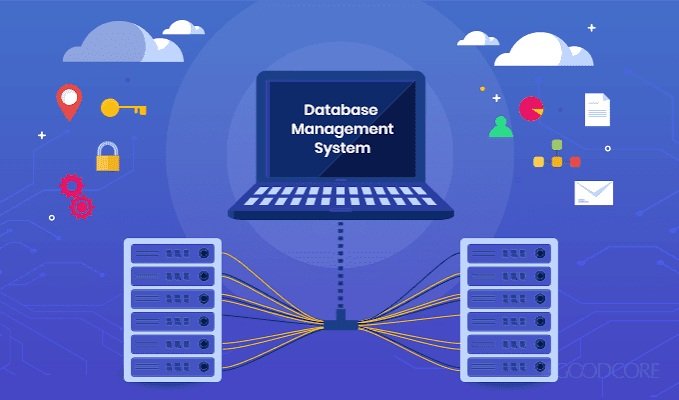
Learning database management is an important skill in today’s technology-driven world. Websites, mobile applications, businesses, and software programs use databases to store and organize information. However, beginners may find database management confusing when they first start learning.
Fortunately, several free database management tools make the learning process easier. These tools allow users to create databases, organize information, manage records, and practice SQL commands without paying for expensive software.
If you are new to database management, choosing the right software can save time and help you develop useful technical skills. In this guide, we will explore the best free database management tools for beginners and explain their main features.
1. MySQL
MySQL is one of the most popular database management systems available today. It is widely used by websites, businesses, and software developers.
It is a good option for beginners who want to understand relational databases and learn SQL. Users can create tables, insert information, update records, and retrieve data through simple commands.
MySQL also works with several programming languages, making it useful for web development projects.
Main Features:
- Free Community Edition.
- Supports SQL commands.
- Easy database creation and management.
- Works with different programming languages.
- Large online learning community.
MySQL is particularly useful for students and beginners who want to build practical database skills.
2. SQLite
SQLite is another excellent choice for people starting their database journey. It is lightweight and does not require a separate database server.
Unlike traditional database systems, SQLite stores information in a single file. This makes installation and management easier for beginners.
It is commonly used in mobile applications, desktop programs, and small software projects.
Main Features:
- Completely free and open source.
- Simple installation process.
- No separate server required.
- Supports standard SQL commands.
- Suitable for small applications.
Beginners can also use DB Browser for SQLite to manage databases through a graphical interface instead of writing every command manually.
3. PostgreSQL
PostgreSQL is a powerful open-source database management system. It is suitable for beginners who want to learn basic database concepts and eventually explore advanced features.
It supports complex queries, data relationships, and different data types. Although it offers many advanced capabilities, new users can begin with simple SQL commands.
PostgreSQL also provides pgAdmin, which makes database management easier through a graphical interface.
Main Features:
- Free and open source.
- Advanced SQL support.
- Strong data management capabilities.
- Suitable for large projects.
- Helpful graphical management tools.
PostgreSQL is a good long-term choice for people interested in professional database development.
4. Microsoft SQL Server Express
Microsoft SQL Server Express is a free edition of Microsoft’s database platform. It is designed for learning, development, and smaller applications.
Beginners can use SQL Server Management Studio (SSMS) to create databases, manage tables, and execute SQL queries.
Its graphical interface makes it easier to understand database operations without depending entirely on command-line instructions.
Main Features:
- Free database edition.
- Graphical management interface.
- Supports SQL queries.
- Integrates with Microsoft development tools.
- Useful for learning relational databases.
However, SQL Server Express has certain storage and resource limitations. Users should review these restrictions before selecting it for larger projects.
5. MongoDB Community Edition
MongoDB is a popular NoSQL database management system. Unlike relational databases, it stores information in flexible documents instead of traditional rows and columns.
This structure makes it useful for applications that handle changing or unstructured information.
MongoDB Community Edition is free and provides several features for learning and development.
Main Features:
- Free Community Edition.
- Flexible document-based storage.
- Supports modern application development.
- Works with different programming languages.
- Graphical management through MongoDB Compass.
Beginners interested in modern web applications should consider learning MongoDB alongside traditional SQL databases.
6. DBeaver Community Edition
DBeaver Community Edition is a free database management application that supports multiple database systems.
Its biggest advantage is that users can manage different databases through one interface. This is helpful for beginners who want to explore several database technologies.
DBeaver includes an SQL editor, database connection management, and graphical tools for viewing tables and records.
Main Features:
- Free Community Edition.
- Supports multiple database platforms.
- Built-in SQL editor.
- Easy database browsing.
- Graphical table management.
It is an excellent option for users who want one application for working with different databases.
How to Choose the Best Database Management Tool
Choosing the right database software depends on your experience and project requirements.
Consider these important factors before making a decision:
Ease of Use: Beginners should select software with a simple interface and helpful documentation.
Learning Resources: Tutorials, online courses, and community support can make learning much easier.
Database Support: Check whether the software supports the database technology you want to learn.
Performance: Choose a tool that works smoothly on your computer.
Future Requirements: Consider whether the software can support more advanced projects as your skills improve.
For absolute beginners, SQLite is a simple starting point. MySQL is useful for learning SQL, while DBeaver is a practical choice for managing different database systems.
Benefits of Using Free Database Management Tools
Free database management tools provide several advantages for beginners.
First, they reduce learning costs. Students and new developers can practice database operations without purchasing expensive software.
Second, many tools offer graphical interfaces that make database management easier to understand.
Third, free software often has active online communities where beginners can find tutorials and solutions to common problems.
Finally, these tools provide practical experience. Users can create sample databases, organize records, and practice SQL queries while developing their technical skills.
Conclusion
Finding the right database management software can make learning easier and more effective. MySQL, SQLite, PostgreSQL, SQL Server Express, MongoDB Community Edition, and DBeaver Community Edition are excellent options for different learning requirements.
If you are completely new to databases, start with SQLite or MySQL. If you want to explore multiple database systems, DBeaver is worth considering.
Practice regularly, learn basic SQL commands, and gradually work on more advanced projects. With the right tools and consistent effort, you can develop valuable database management skills.
Frequently Asked Questions
1. What is the easiest database management tool for beginners?
SQLite is one of the easiest options because it does not require a separate server or complicated configuration.
2. Are free database management tools good for learning?
Yes. Free tools provide essential features for creating databases, managing records, and practicing SQL commands.
3. Which database is best for learning SQL?
MySQL and PostgreSQL are excellent choices for learning SQL and understanding relational database concepts.
4. Can beginners use DBeaver?
Yes. DBeaver provides a graphical interface that helps beginners manage databases, view tables, and execute SQL queries.
5. Do I need coding knowledge to manage databases?
No. You can start with basic database operations and gradually learn SQL. Programming knowledge becomes useful when connecting databases to applications.

Leave a Reply