
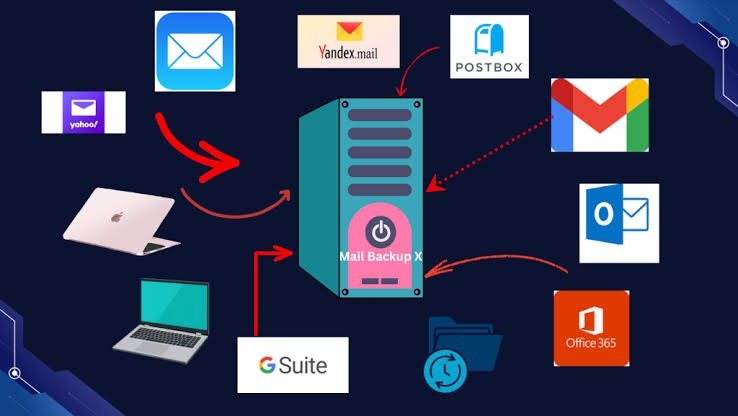
Email is one of the most important communication tools for small businesses. Companies use email to communicate with customers, share documents, manage orders, and discuss important business decisions. Losing these emails can create serious problems.
Accidental deletion, cyberattacks, ransomware, and technical failures can all cause email data loss. Therefore, businesses need a reliable backup solution to protect their information.
Choosing the best email backup software for small businesses can help companies save important messages and recover them whenever needed. In this guide, we will explore useful email backup tools, their features, and how to choose the right solution.
Why Do Small Businesses Need Email Backup Software?
Small businesses often depend on email for daily operations. Losing access to important conversations can affect customer relationships and business activities.
Email backup software creates additional copies of email data. These copies can help businesses recover information after unexpected problems.
Here are some important benefits:
- Data Protection: Keeps copies of important business emails.
- Easy Recovery: Helps restore accidentally deleted messages.
- Business Continuity: Reduces interruptions caused by email data loss.
- Security: Adds another layer of protection against cyber threats.
- Record Keeping: Helps businesses maintain important communication records.
A good backup strategy can save time, reduce stress, and protect valuable business information.
Best Email Backup Software for Small Businesses
Several tools offer email backup and recovery features. The right choice depends on your email platform, storage needs, budget, and security requirements.
1. Microsoft 365 Backup
Microsoft 365 Backup is designed to protect data within Microsoft’s cloud environment. It supports backup and recovery for Exchange Online mailboxes, SharePoint, and OneDrive.
It can help small businesses recover important email information after accidental deletion or other data-related problems.
Its integration with Microsoft 365 makes it a useful option for organizations already using Microsoft’s business services.
2. Google Workspace
Google Workspace provides business email through Gmail, along with productivity and collaboration tools.
Businesses can use third-party backup solutions to create independent backups of their Google Workspace data. This approach adds another layer of protection for important messages and attachments.
It is especially useful for companies that manage their daily communication through Gmail.
3. Veeam Data Cloud
Veeam offers cloud data protection solutions for business environments. Its Microsoft 365 backup capabilities help organizations protect important business information.
Companies can use its backup and recovery features to protect Exchange Online data and other supported Microsoft 365 services.
It is worth considering for businesses that need more advanced data protection.
4. Afi.ai
Afi.ai provides cloud backup solutions for Google Workspace and Microsoft 365 environments.
Its features focus on automated backups, data recovery, and centralized management.
Small businesses can benefit from automated protection because they do not need to depend entirely on manual backup processes.
5. Dropsuite
Dropsuite offers cloud backup services for business email and other workplace data.
It supports email backup and recovery for supported platforms, helping businesses protect important conversations and attachments.
Its automated approach can make backup management easier for companies without dedicated IT teams.
Important Features to Consider Before Choosing
Before purchasing email backup software, small businesses should compare a few important features.
1. Automatic Backup
Choose software that automatically backs up emails. Regular backups reduce the risk of losing important information. They also save employees from performing manual tasks.
2. Easy Email Recovery
A good backup tool should make email recovery simple. Businesses should be able to restore individual messages, folders, or complete mailboxes when necessary.
3. Strong Security
Email backups may contain confidential business information. Look for encryption, multi-factor authentication, secure storage, and access controls.
4. Storage and Retention Options
Check how much backup storage is available. Also, understand how long the software keeps deleted emails and older versions. Flexible retention policies can help businesses meet their record-keeping needs.
5. Affordable Pricing
Small businesses usually work with limited budgets. Compare subscription costs, user limits, storage restrictions, and additional charges before selecting a service.
How to Choose the Right Email Backup Solution
The best choice depends on your company’s existing email platform and business requirements.
For example, Microsoft 365 users can consider Veeam or Afi.ai. Businesses using Gmail through Google Workspace can explore Afi.ai and Dropsuite.
Before making a decision, consider these questions:
- Does the software support your current email platform?
- Can it restore individual emails and complete mailboxes?
- Does it provide automatic backups?
- Are backup copies protected with encryption?
- Can your team manage the software easily?
- Does the pricing fit your monthly budget?
You should also test the recovery process before depending on any backup service. A backup is only useful when you can successfully restore your information.
Final Thoughts
Email data is valuable for every small business. Losing important messages can affect customer relationships, daily operations, and business records.
Choosing the best email backup software for small businesses helps protect important communication and makes recovery easier after unexpected problems.
Microsoft 365 Backup, Google Workspace backup solutions, Veeam, Afi.ai, and Dropsuite are worth considering. However, the right option depends on your email platform, security requirements, and budget.
Investing in a reliable backup solution today can help your business avoid unnecessary problems in the future.
Leave a Reply